Captcha Settings
Captcha Settings
The Captcha Settings tab helps protect your platform by managing Captcha integrations like Google reCAPTCHA. You can add new Captcha settings by selecting a provider, entering keys, setting status, and optionally making one default.
- From the left-hand side menu, navigate to the Settings tab. Under Settings, select the System option and click on Captcha Settings.
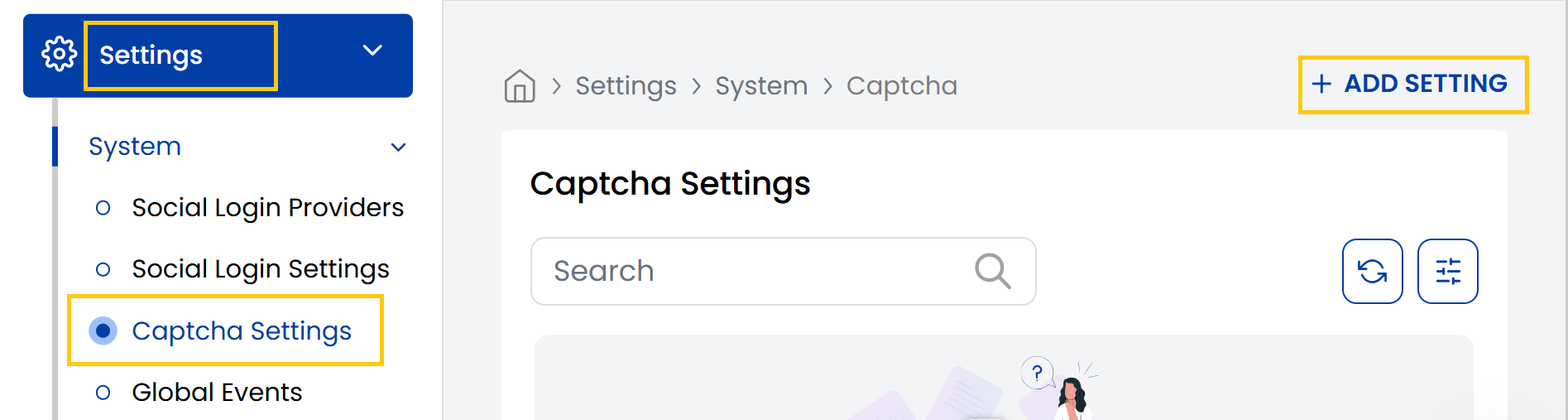
- The Captcha Settings page displays a list of available captcha providers.
- Captcha Provider: Select the captcha provider (Google reCAPTCHA).
- Site Key: Public key embedded in frontend forms.
- Secret Key: Private key used in backend verification.
- Default: (Optional) Mark it as the default captcha system.
- Set the status as active or inactive and click on Submit.

Conclusion
The Captcha Settings section provides essential bot protection through configurable CAPTCHA integrations. For security configuration assistance, contact Stack Console support.